Rental management dashboard: know what matters, without having to search for it
What a rental management dashboard should prioritize displaying
Without a centralized dashboard, each question about the status of the portfolio requires an active search: how many leases are maturing this month, which tenants are in arrears, what technical interventions are pending, and which statements of expenses remain to be finalized. This information generally exists in the system, but is dispersed between several screens or modules, which makes its consultation slow and unnatural in the rhythm of a busy working day.
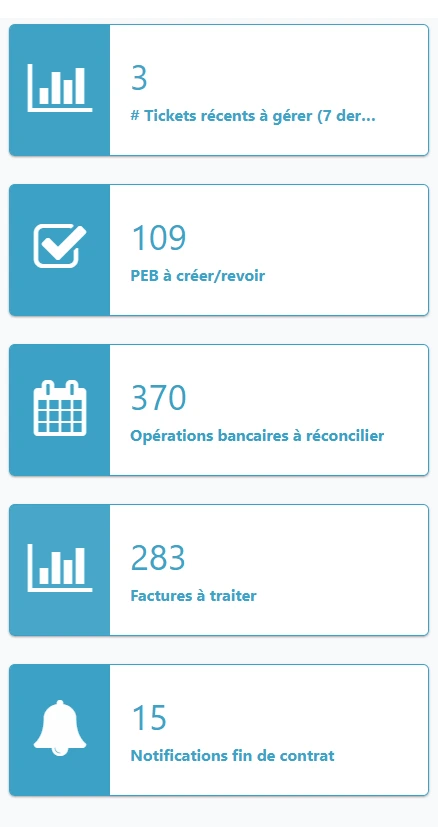
A well-designed rental management dashboard reverses this logic: instead of searching for information, it presents itself directly, organized by priority and urgency. Here are the elements that a high-performing dashboard should display first:
Upcoming lease deadlines and indexations to process
Tenants behind on payment, with the level of follow-up reached
Ongoing technical intervention tickets, sorted by urgency
Pending charge statements awaiting finalization
Key performance indicators: occupancy rate, yield, age of files
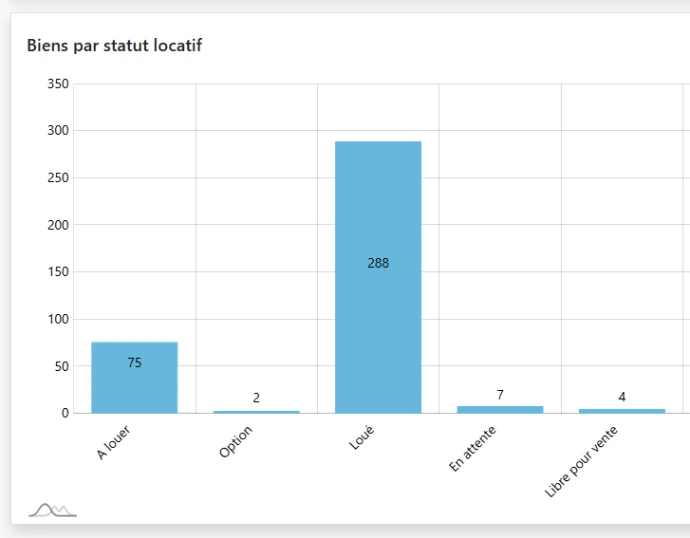
Collective management, beyond the individual view
An essential customization according to the user's role
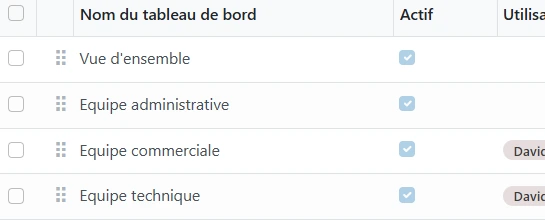
This customization avoids a common pitfall of generic dashboards, which attempt to display all possible information to all users, at the risk of drowning the essentials in a volume of information that is not relevant to the concerned profile. A good rental management dashboard, on the contrary, knows how to filter and prioritize according to the actual needs of each role, rather than offering a single view applied uniformly.
Real-time reliability, a condition for user trust
Ask us for more information
Set the right alert thresholds from the outset
This initial configuration phase largely determines the perceived relevance of the dashboard once in production. A system that is too generic, with identical thresholds regardless of the nature of the portfolio, ends up generating either too many non-priority alerts or, conversely, a false impression of calm while genuinely urgent situations remain buried in the flow. Support during this initial configuration helps avoid this pitfall and fully leverage the potential of the dashboard from the moment it goes live.
Do you still have questions about the rental management dashboard?
Discover our answers:
A rental management dashboard is a real-time management tool, primarily intended for the manager to organize their daily work: deadlines, delays, pending technical tickets. A property management report, on the other hand, is a periodic document intended for the client owner, presenting a financial summary over a given period.
These two tools often rely on the same underlying data, but meet different needs: the dashboard is used for daily actions, while the management report is used to inform and reassure the owner periodically about the management of their property.
The prioritization is based on urgency and impact criteria defined for each type of task: an active water leak will be ranked higher than a request for preventive maintenance, just as an old payment delay will take precedence over a simple forgetfulness of a few days. These rules can be configured according to the specific priorities of each organization.
This prioritization prevents the manager from having to manually evaluate, case by case, what should be addressed first. The dashboard automatically highlights what requires immediate attention, which becomes particularly valuable when the volume of daily tasks is significant.
Yes, and it is even desirable. An administrative manager needs a view focused on tasks and immediate deadlines, an accountant prioritizes consolidated financial indicators, and an investor owner expects a clear summary of the overall performance of their assets without necessarily seeing the operational details of each case.
This profile-based customization prevents overwhelming each user with information that does not directly concern them, and makes the dashboard truly useful on a daily basis rather than simply exhaustive.
A manager can view a consolidated view that brings together the individual dashboards of their team, allowing for quick identification of a portfolio that is accumulating significant delays or an overloaded collaborator compared to others. This visibility facilitates a reallocation of priorities before the situation deteriorates further.
Without this consolidated view, these imbalances often remain invisible until a concrete problem arises, such as an unprocessed count on time or a forgotten follow-up, making preventive detection significantly more difficult.
The most useful indicators generally include the occupancy rate, the number of leases expiring, the number of tenants behind on payments, and the average age of files pending processing. These indicators provide a quick snapshot of the overall health of the portfolio without requiring in-depth analysis.
For an investor owner, rental yield or profitability indicators by property can also be integrated, providing a view focused on financial performance rather than just operational.
Yes, a modern dashboard should remain fully accessible from a smartphone or tablet, with essential information quickly accessible even outside the office. This mobile accessibility is particularly important for managers who are often on the go, such as during property visits or meetings with owners.
A dashboard designed solely for desktop use loses a significant part of its practical value in a profession where a significant portion of the work takes place outside a fixed workstation.
Reliability directly depends on the link between the dashboard and the central database of the system: any update, whether it is a payment received or a ticket closed, must be immediately reflected in the dashboard, without delayed synchronization. A delay, even minimal, between reality and what is displayed ultimately erodes users' trust in the tool.
That is why the dashboard should never be thought of as a separate module periodically fed by exports, but as a direct and permanent view of the actual data from the property management system.
Do you have any more questions?
Feel free to contact us to ask questions, request a demonstration, or for anything else.